How Does a QR Code Open a Website?
Quick answer
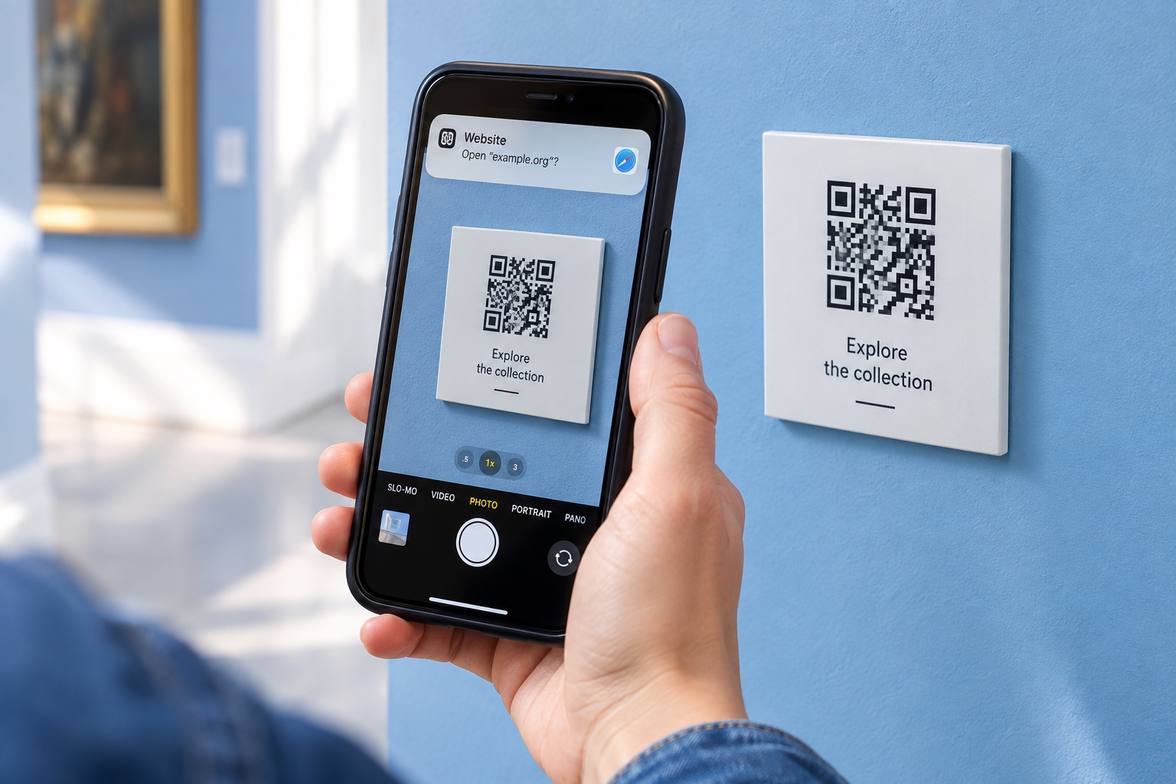
A QR code stores data in a patterned grid. Your camera decodes that data, previews the website address, and lets you choose whether to open it.
Step-by-Step
The camera recognizes the pattern
Your scanning app locates the code and reads its contrasting squares.
The scanner decodes the data
The pattern may represent a website address, text, or other supported information.
You inspect the destination
Check the displayed address before opening it or entering personal information.
Quick Check
Two quick choices. A next step for you.
- 1Your situation
- 2A closer look
What are you facing right now?
Why will my code not scan?
What makes the code hard to read?
Why does the destination look strange?
Have you verified the destination independently?
Can I scan without internet?
What are you trying to open?
Why did scanning show text instead?
What did the scanner display?
Your next step
Choose your situation to read the advice.
Why will my code not scan?
Poor lighting or an unclear image
Improve lighting, clean the camera lens, and hold the code steadily within the frame. Try reading it again.
The printed code is damaged
Excessive damage or poor contrast may prevent reading. Use the organization’s known website or contact details to find a verified route instead.
Why does the destination look strange?
No, I only have this code
Do not continue to an unexpected destination. Use the organization’s known website or contact details to verify it.
The destination still seems wrong
Avoid opening the unexpected link. Continue through a known, verified route instead of relying on the code.
Can I scan without internet?
Text stored in the code
Decoding stored text can work offline. Try scanning it directly; opening an external website is a separate step.
A website linked by the code
Opening a website usually needs an internet connection. Check your connection and verify the destination before opening it.
Why did scanning show text instead?
A plain text message
QR codes can store text as well as website addresses. Read the decoded message; there may be no website to open.
A website address preview
Inspect the displayed address before opening it. If the destination seems unfamiliar or wrong, verify it through a separate trusted route.
Common Mistakes
Opening every scanned link
A readable code can still point toward an unsafe or misleading website.
Standing too close to focus
Move back slightly until your camera can clearly focus on the pattern.
Ignoring stickers over original codes
A replacement sticker may redirect you somewhere the original publisher never intended.
Important Things to Know
QR codes do not verify the identity or safety of the destination they encode.
Bottom Line
Read the destination before opening it. Treat a QR code like a clickable link, with the same checks before sharing information.
Next article